Best MP3 to MIDI Converter: compare the measured file before you trust it.
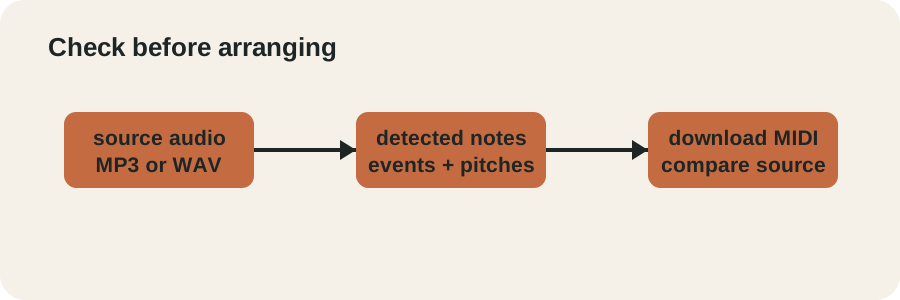
Best MP3 to MIDI converter means a result you can inspect: upload a supported audio file, inspect the detected note events, then download the editable MIDI and compare it with the source.
Yes, this MP3 to MIDI workflow produced a downloadable MIDI file from a real MP3 input. In the controlled test below, the encoded MP3 returned four note events; a silent MP3 returned zero events. Use the result as editable note data, then check it against the source before arranging.
Choose a clear solo melody to begin.
Best for one note at a time: a sung melody, clean lead or solo instrument. Chords, drums and full mixes may produce missing or incorrect notes.
Real MP3 experiment
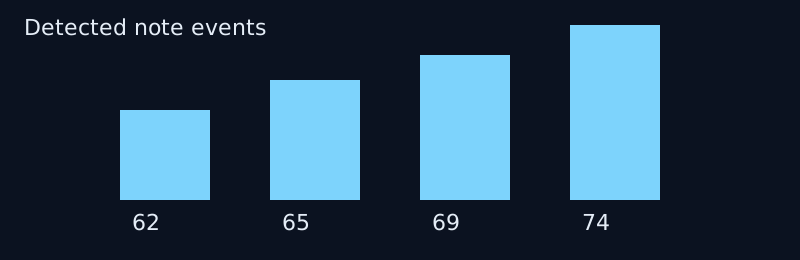


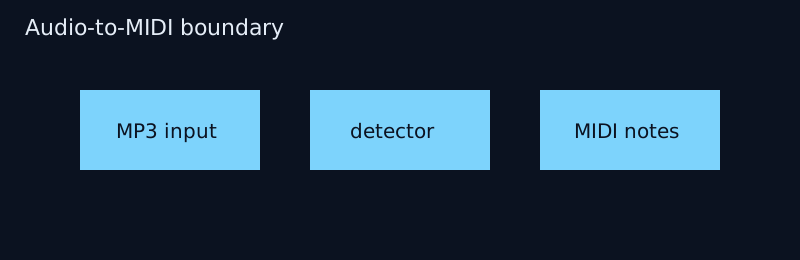
I started with a known four-note PCM melody (MIDI pitches 62, 65, 69 and 74), encoded it to a 128 kbps MP3 with FFmpeg 9.0.2, decoded that MP3 to mono 11,025 Hz PCM, and ran the deployed detector and MIDI writer on the decoded samples.
| Input | Output | Observed events |
|---|---|---|
| source.mp3 (128 kbps) | output.mid | 4: pitches 62, 65, 69, 74 |
| silent.mp3 | silent-output.mid | 0; no clear notes found |
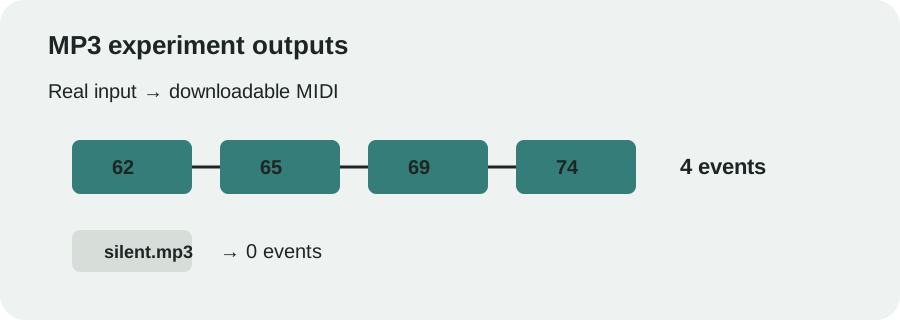
The decoded notes started at about 0.180, 0.878, 1.576 and 2.275 seconds and ended at about 0.758, 1.457, 2.155 and 2.854 seconds. Those are detector outputs, not a promise of exact timing for every recording. The complete commands and source hash are in results.json.
Video walkthrough
Four checks before downloading
Which MP3, PCM WAV, OGG, M4A, and FLAC are verified inputs in this browser workflow; AIFF is not supported files can I use?
Use one MP3 or PCM WAV file up to 20 MB and 2 minutes. The browser input accepts MP3, WAV, OGG, M4A, and FLAC are verified paths; AIFF is not supported; the converter decodes the file locally before detection.
What should I do if decoding fails?
Try a standard MP3 or PCM WAV; for other formats, keep the file only if this browser can decode it encoding and keep the file under the stated size and duration limits. The page reports a decode error before conversion when the browser cannot read the file.
What happens with chords or a full mix?
Expect missing or incorrect notes when several instruments or notes overlap. This detector is intended for a clear solo melody and does not separate instruments.
How do I check the downloaded MIDI?
Compare the MIDI pitches and note boundaries with the source before arranging. The downloadable MIDI contains note events, not the original recording or instrument sound.
Reproduce it
- Download source.mp3 and silent.mp3.
- Run run-mp3-experiment.cjs with the tested app.js.
- Compare the generated MIDI files with results.json.
This is a controlled isolated-melody test, not a full-song accuracy score. Chords, noise, speech, clipping and dense mixes need separate checks.
An MP3 to MIDI converter for solo melodies
Use this audio to MIDI tool to capture the pitch and timing of a clear melody as editable notes. The downloaded file contains note events, not the original recording or instrument sound.
How do I change MP3 to MIDI?
Choose your recording above, select Convert to MIDI, then preview the detected notes before downloading. To convert MP3 file to MIDI, your browser must be able to decode the file; if decoding fails, try a standard encoding.
What changes when I convert MP3 into MIDI?
The result is a single track of detected notes. Detection confidence controls which pitches are kept, minimum note length removes short fragments, and transpose shifts all detected pitches. These controls do not recreate the original tone.
Can I convert a song to MIDI?
A clear solo melody is the intended input. A full mix with chords, drums and several instruments can produce missing or incorrect notes. This tool does not separate a song into individual instrument tracks.
Is this an AI MP3 to MIDI tool?
No. This version uses local signal processing to estimate pitches, not a trained AI model. Your selected audio stays in your browser.
Is this the best MP3 to MIDI converter for my recording?
There is no best-for-every-recording claim here. This MP3 to MIDI converter is intended for a clear solo passage: listen to the note preview and compare it with your source. If you need chord recognition or instrument separation, this version does not provide those capabilities.
What goes wrong when converting MP3 to MIDI?
Local tools such as Basic Pitch, librosa, or Omnizart can introduce installation and dependency issues. The MP3 to MIDI troubleshooting guide documents the specific errors, tested version combinations, and workarounds for each.
Does this tool also support WAV to MIDI?
Yes. This tool accepts MP3, WAV, OGG, M4A, and FLAC are verified paths; AIFF is not supported as input. For WAV to MIDI, choose a standard PCM WAV file — the browser decodes it locally, just like MP3, and the same pitch detection and note controls apply.
Can I convert a song to MIDI?
Yes, for a clear solo melody excerpt. Upload the MP3, PCM WAV, OGG, M4A, and FLAC are verified inputs in this browser workflow; AIFF is not supported song excerpt, download the MIDI note data, and check it before arranging; this page does not separate a full mix into instrument tracks.
Does a song to MIDI converter make sheet music?
No, it returns MIDI note data rather than engraved notation. Import the downloaded MIDI into a notation editor when you need editable staff notation.
Can I convert voice to MIDI?
Yes, when the input is a clear recording of singing or humming — an unaccompanied single melody. Voice to MIDI uses the same pitch detection as instrument audio, so accompanying music, harmonies, or layered vocals will produce missing or incorrect notes.
Can an MP3 to MIDI converter make an accurate conversion?
It can produce editable MIDI, but this controlled test does not establish universal accuracy. In the linked MP3 experiment, the isolated melody returned four events and the silent control returned zero. Dense mixes, harmonics, and overlapping instruments need their own check, so compare the downloaded MIDI with the source before arranging.
This question is documented from public conversion discussions: r/midi MP3 to MIDI converter and r/synthesia MP3-to-MIDI workflow.
Why can MP3 to MIDI add extra notes?
Extra notes can appear when one recorded sound contains overlapping frequencies or several instruments. The detector works from the decoded waveform, so harmonics and dense passages can be mistaken for separate note events. Start with a clear solo melody, inspect the preview, and compare the downloaded MIDI with the source; the controlled MP3 test on this page is a four-event check, not a universal accuracy score.
Is there an MP3 to MIDI converter free workflow?
You can upload a supported MP3, PCM WAV, OGG, M4A, and FLAC are verified inputs in this browser workflow; AIFF is not supported without creating an account. The browser returns editable MIDI note data; review it before using it in a project.
Is there a song to MIDI converter?
A clear song excerpt can be converted into editable MIDI note data. Full mixes with overlapping instruments may produce missing or incorrect notes.
Questions from real conversion work
Is there a website that can listen to an MP3 and translate it to MIDI?
Yes, this browser tool can turn a supported MP3 into editable MIDI note data. Use a clear solo melody, convert it locally, then check the downloaded notes against the source.
Why does an MP3-to-MIDI conversion add extra notes?
Extra notes can appear when harmonics overlap or several instruments share the recording. The detector estimates one pitch at a time, so inspect the preview before arranging.
Why does MP3 to MIDI not return only the fundamental notes?
A mixed recording does not expose one clean fundamental line to a single-pitch detector. Use an isolated melody when you need a simpler note sequence.
Why does a full mix convert worse than one instrument?
Overlapping instruments give the detector competing pitches. A solo passage is the input this workflow is designed to inspect.
What should an MP3-to-MIDI tool fix before it is useful?
It should make the detected notes easy to inspect and compare with the source. That is why this page shows the piano roll, exposes controls, and provides a downloadable MIDI file.
About AI wording
“AI audio to MIDI” and “AI MIDI converter” are not descriptions of this tool. Note Foundry uses local browser signal processing to estimate pitches; it does not run an AI model or claim AI inference.