Can MP3 to MIDI help make a music-box paper strip?
It can provide a starting set of note events for a clean, single-line music-box recording, but the MIDI still needs timing and range checks before you turn it into a paper strip.
A music-box recording is a useful best-case test because its melody is usually exposed. It is still an audio transcription problem: the converter estimates note starts and pitches; it does not know the hole spacing, paper width, or the exact tempo your mechanism needs.
Workflow
- Use an authorized MP3 or WAV recording with one melody and as little room sound as possible.
- Run it through the browser converter and download the MIDI after the note events appear.
- Open the MIDI in a piano-roll or notation editor. Remove false notes, set a steady tempo, and keep notes inside the music box's playable range.
- Convert the checked note timeline into the paper-strip format required by your mechanism. That final punch layout is outside the browser converter.
Why a clean recording matters
Reverb, accompaniment, and overlapping notes can create extra events or hide the melody. A short isolated phrase is easier to inspect than a full song. Compare the first few notes against the recording before designing the whole strip.
What the MIDI does not contain
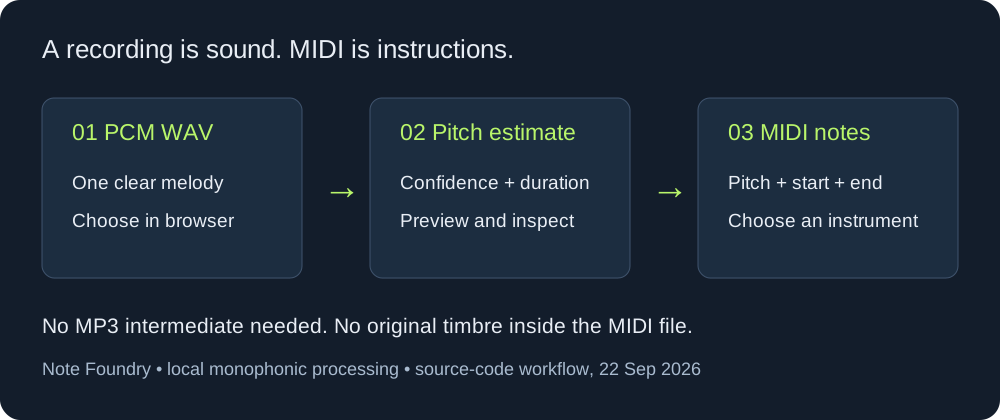
MIDI has no recorded sound and no paper dimensions. It stores note instructions. Your editor or playback device supplies the instrument sound, while your paper-strip tool determines hole positions and spacing.
FAQ
Can a full mixed song become a ready-to-punch strip?
No. Mixed audio needs manual separation and checking. Start with a short, exposed melody.
Will the converter set the paper speed automatically?
No. Check the note spacing and choose the tempo for your mechanism after export.