Why does my MP3 to MIDI play as piano?
Because MIDI stores note events, not recorded instrument audio; your player is choosing a piano sound for those events.
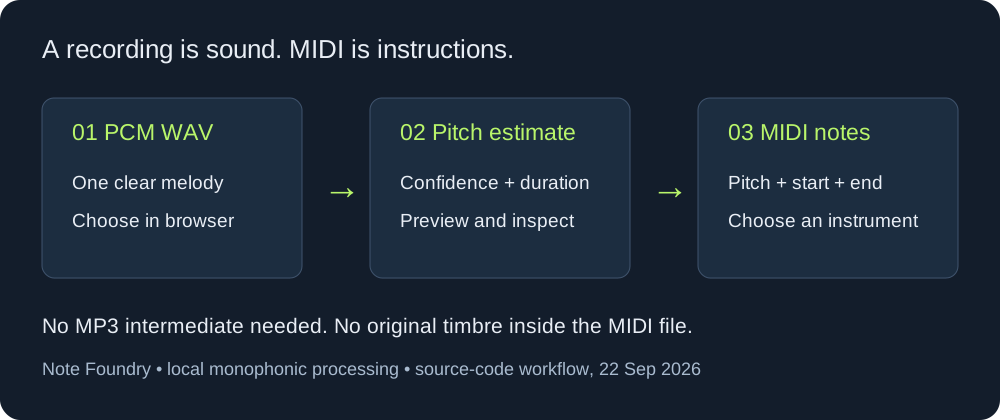
This answers a common real-world problem: a converted file contains notes, but playback sounds like a piano even when the source was a guitar, synth, or game track. The conversion stage estimates pitches and timings. Instrument choice happens later in the MIDI player, DAW, or hardware synth.
Fix the sound after conversion
- Open the downloaded MIDI in a DAW or MIDI editor.
- Find the track or channel that contains the notes.
- Assign a different virtual instrument or MIDI program to that track.
- Play the file again and check whether the new sound matches the range of the notes.
If the file has only one detected track, changing its instrument changes the playback voice but does not recover separate guitar, bass, vocal, or drum stems that were mixed in the MP3.
What conversion can and cannot recover
An MP3-to-MIDI converter can write note-on, note-off, pitch, and timing events. It cannot put the original audio waveform, effects, or instrument identity inside a standard MIDI file. A mixed recording may therefore produce one rough note stream instead of one track per instrument.
Practical check
Before judging the sound, open the MIDI event list and inspect the first few notes. If the events are present, the piano sound is a playback setting. If the events are missing or crowded, return to the source and test a cleaner single-line recording.
FAQ
Can changing the MIDI instrument separate a full song?
No. It changes playback timbre only. It does not reconstruct separate stems from a mixed MP3.
Does the browser converter promise the original instrument?
No. It is a melody-oriented detector and does not claim instrument separation or chord recognition.